The Uttar Pradesh government, under Chief Minister Yogi Adityanath, has been running the Swami Vivekananda Yuva Sashaktikaran Yojana, commonly referred to as the DigiShakti scheme, to provide free tablets and smartphones to students.
This article provides a complete overview of the DigiShakti Free Tablet Yojana, detailing who is eligible, the required documents, and how students can get their devices.
DigiShakti Portal: College/University Kaise Select Karein?
Scheme Overview
| Scheme Name | Swami Vivekananda Yuva Sashaktikaran Yojana (Mission DigiShakti) |
|---|---|
| Launched By | Government of Uttar Pradesh |
| Benefit | Free Tablet or Smartphone |
| Total Beneficiaries | Nearly 1 crore students expected to benefit |
| Official Portals | digishakti.up.gov.in ; yuvasathi.in |
1. Eligibility Criteria – Who is Eligible for DigiShakti Device?
Understanding the eligibility criteria is the first step. According to official guidelines and news reports, students must meet the following conditions to be eligible for the free device
Academic Requirements
Students must be enrolled in a recognized educational institution within Uttar Pradesh. The scheme covers the following types of programs:
- Graduation (UG)
- Post-Graduation (PG)
- Diploma courses
- ITI and Polytechnic
- Nursing and Paramedical courses
- Skill development programs
Other Essential Criteria
- Residency: The applicant must be a permanent resident of Uttar Pradesh .
- Income Limit: The family’s annual income must be less than ₹2,00,000 .
- Institution Type: The student must be enrolled in a government or private school or college within the state .
2. Required Documents – What You Will Need
Applicants are advised to keep the following documents ready. While the college uploads the primary data, these are essential for verification.
- Aadhaar Card
- College or School ID Card
- Income Certificate
- Domicile Certificate
- Previous Class Marksheet or Pass Certificate
- Active Mobile Number
3. Step-by-Step Registration & e-KYC Process
A common misconception is that students must fill out a form. In reality, the institution uploads student data, and the student’s role is to complete the Aadhaar-based e-KYC verification . The e-KYC process is mandatory; failure to complete it means the student will not receive the device .
Follow these steps to complete the e-KYC on the DigiShakti portal:
- Visit the Official Portal: Go to
digishakti.up.gov.in - Access the e-KYC Page: Click on the “e-KYC through MeriPehchaan Portal” button .
- Enter Details: Select your Board/University and Institute/College, then enter your Enrollment Number and captcha code before clicking “Search” .
> Note: If you do not know your enrollment number, it must be obtained from your college administration . - Check Status: Your details will appear. If the e-KYC Status is “Pending”, click on “Verify through Login Using e-Pramaan MeriPehchaan” .
- Sign Up: Accept the terms and conditions and click the “Sign-Up” button to proceed .
- Aadhaar Verification: Enter your Aadhaar number and choose the OTP medium (mobile or email). Click on the verify option .
- OTP & Submission: Enter the OTP received on your Aadhaar-registered phone or email. After submission, the process is complete .
- Confirmation: Return to the first page, search again, and the status should now show “Verified” with a date and time stamp .
4. Device Distribution Process – How and When You Get It
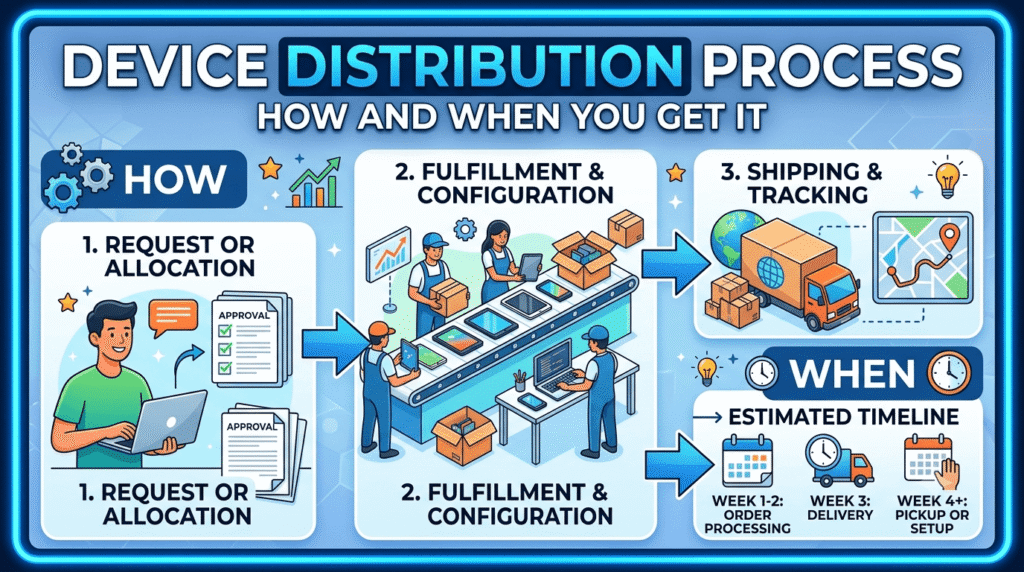
After successful verification, the device distribution is handled by the respective educational institutions.
Distribution Events
Colleges and universities organize distribution ceremonies where eligible students receive their devices. Examples of recent distribution events are:
- Rama University, Kanpur: More than 2,500 tablets were distributed to students in September 2025 .
- Allahabad Degree College, Prayagraj: Tablets were distributed under the DigiShakti initiative at this college .
- College of Nursing, Kanpur: 20 tablets were distributed to B.Sc. Nursing students in April 2025 .
Key Points to Remember
- The DigiShakti Mapper app is used by institutions to scan QR codes and map the device’s IMEI number to the student during distribution .
- Students must ensure their e-KYC is complete to be included in the final distribution list .
5. Beneficiary List & Status Check
Students can check their status on the official DigiShakti portal . After completing the e-KYC, a “Verified” status confirms that the student is eligible and will receive the device from their institution.
⚠️ Fraud Warning
Beware of Scams:
- The registration process is absolutely free. No one can ask for money to get you a tablet .
- Only use the official portals:
digishakti.up.gov.inandyuvasathi.in. - Do not share your OTP or Aadhaar details with anyone.
6. Official Helpline & Grievance
For any issues, students can get in touch through the following channels:
| Official Portal | digishakti.up.gov.in |
| Implementing Agency | UPDESCO (UP Development Systems Corporation Ltd.) |
7. Frequently Asked Questions (FAQs)
Q1. DigiShakti Free Tablet Yojana kya hai?
It is a UP government scheme to provide free tablets and smartphones to eligible students to promote digital access for education .
Q2. Official portal kaunsa hai?
The official portal is digishakti.up.gov.in.
Q3. Kaun apply kar sakta hai?
Students from Uttar Pradesh enrolled in UG, PG, Diploma, ITI, Nursing, or Skill Development courses with a family income below ₹2 lakh .
Q4. Kya mujhe khud registration karni hai?
No, the college uploads your data. You only need to complete the e-KYC .
Q5. e-KYC kaise karein?
Visit digishakti.up.gov.in
Q6. Apna status kaise check karein?
Search your details on the portal using your enrollment number. A “Verified” status means you are eligible .
Q7. Kaun se documents chahiye?
Aadhar card, college ID, income certificate, and enrollment number are the primary requirements .
Q8. Tablet/Smartphone kaise milega?
The device will be distributed through your college or university during a distribution ceremony .
Q9. Kya koi fee lagti hai?
No, the scheme is completely free for eligible students .
Q10. Private college ke students eligible hain?
Yes, students from both government and private colleges are eligible .
Q11. Income limit kya hai?
The annual family income must be less than ₹2,00,000 .
Q12. Agar status “Failed” show ho raha hai toh kya karein?
Immediately contact your college’s Nodal Officer to correct the mismatched details on the portal .
Disclaimer: This article provides information based on official sources and news reports. Scheme details can change; always visit the official portal for the latest updates.