
![DigiShakti Status Check Kaise Karein? [Updated Guide]](https://digiyojana.com/wp-content/uploads/2026/06/digishakti-status-check-kaise-karein-updated-guide.png)
DigiShakti Status Check Kaise Karein? [Updated Guide]
स्वामी विवेकानंद युवा सशक्तीकरण योजना (Mission DigiShakti)
उत्तर प्रदेश की योगी आदित्यनाथ सरकार छात्रों को डिजिटल शिक्षा से जोड़ने के लिए एक बहुत ही महत्वपूर्ण योजना चला रही है। इसका नाम है स्वामी विवेकानंद युवा सशक्तीकरण योजना, जिसे Mission DigiShakti भी कहा जाता है।
योजना के मुख्य आंकड़े
| विवरण | आंकड़े |
|---|---|
| कुल लाभान्वित छात्र | लगभग 1 करोड़ |
| 2021-23 वितरण | 46.75 लाख गैजेट्स |
| बजट प्रावधान (2025-26) | 2000 करोड़ रुपये |
जरूरी सूचना: यदि आप एलिजिबल हैं और आपका डेटा पोर्टल पर अपलोड हो चुका है, तो आपको e-KYC करना बहुत जरूरी है। बिना e-KYC के आपको टैबलेट या स्मार्टफोन का लाभ नहीं मिलेगा।
DigiShakti Password Reset: Bhool Gaye Toh Kya Karein?
Key Highlights Table
Eligibility Criteria – Kaun Le Sakta Hai?
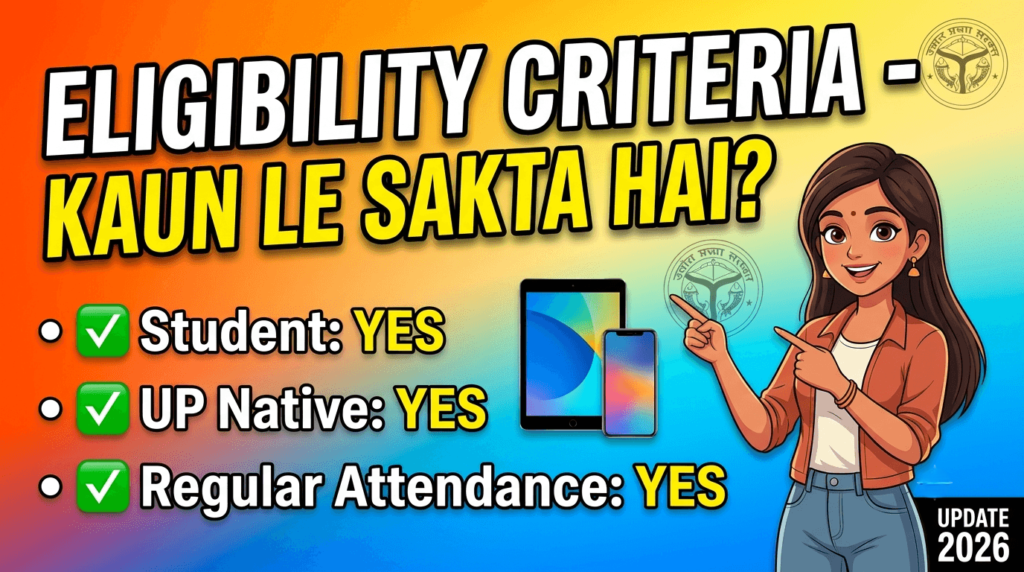
Agar aap UP mein rehte hain aur college student hain, toh ho sakta hai aap is scheme ke liye eligible hon. Lekin kuch important conditions hain jo poori karni zaroori hain.
✅ Eligible Kaun Hai?
- Residency: Aapka Uttar Pradesh ka permanent resident hona chahiye .
- Course: Aapko kisi recognized government ya private college mein inme se koi course karna chahiye:
- Graduation (BA, BSc, BCom, etc.)
- Post-Graduation (MA, MSc, MCom, etc.)
- Technical Education (B.Tech, M.Tech)
- Diploma / Polytechnic
- Medical / Nursing / Paramedical
- ITI
- Skill Development programs .
- Income: Aapke family ki annual income ₹2 lakh se kam honi chahiye .
- Student Type: Final year students, technical education students, medical students, higher education students, skill development training students, ITI students, aur Sewa Mitra portal par registered youth .
❌ Eligible Kaun Nahi Hai?
- Jo students already ek baar device le chuke hain, woh dobara apply nahi kar sakte (one-time benefit hai) .
- Jinka college data portal par upload nahi hua, unka status check nahi ho payega .
- Jinhone e-KYC complete nahi ki, unhe device nahi milegi .
- Jinka Aadhaar mismatch hai, unka verification fail ho jayega .
Required Documents – Zaroori Dastavej
Device lene ke liye aapke paas yeh sab documents hone chahiye. Koi bhi missing hai toh problem ho sakti hai.
- ✅ Aadhaar Card – Active mobile number se linked hona chahiye (OTP isi par aayega)
- ✅ Active Mobile Number – OTP verification ke liye zaroori
- ✅ Enrollment Number – Apne college se lo
- ✅ College ID Card – Identity proof ke liye
- ✅ Passport-size Photographs – College record mein honi chahiye
- ✅ Bank Account Details – Kuch cases mein verification ke liye
DigiShakti Portal e-KYC Process – Step by Step
Yeh sabse important section hai. Kyunki college aapka data upload karega, lekin e-KYC aapko khud karni hogi . Agar e-KYC nahi kiya toh device nahi milegi.
Step 1: Official Portal par Jaao
Sabse pehle digishakti.up.gov.in website par jao . Homepage par “e-KYC through MeriPehchaan Portal” button par click karo.
💡 Mobile se kar rahe ho? Browser mein “Desktop Site” option ON karo.
Step 2: Apni Details Search Karo
Ek naya page khulega. Yahan tumhe select karna hai:
- Board/University: Apni university ka naam chunein.
- Institute/College: Apne college ka naam dropdown mein dhoondhein.
- Enrollment Number: Apna enrollment number enter karein. (Agar aapko ismein koi pareshani aa rahi hai, toh aap yahan click karke poori jaankari dekh sakte hain).
Phir captcha enter karo aur “Search” button par click karo.
Step 3: e-KYC Status Check Karo
Agar aapka data portal par upload ho chuka hai, toh aapke details screen par aa jayenge. Yahan dekho :
- Status “Pending” dikhe toh “Verify through Login Using e-Pramaan MeriPehchaan” button par click karo.
- Status “Data is Under Verification” dikhe toh thoda wait karo — department lock pending hai.
Step 4: MeriPehchaan Portal par Sign-Up/Sign-In Karo
Aap MeriPehchaan (e-Pramaan) portal par redirect ho jaoge .
- New user: “New user? Sign up for MeriPehchaan” par click karo, mobile number enter karo, OTP verify karo, aur details bharo (naam, DOB, gender exactly Aadhaar ke hisaab se) .
- Existing user: Apne login credentials se sign-in karo.
Terms & conditions accept karo aur “Sign-Up” par click karo.
Step 5: Aadhaar e-KYC Complete Karo
Ab Aadhaar number enter karo aur OTP medium select karo (mobile ya email) . OTP enter karo aur “verify through e-KYC” par click karo.
Step 6: Verification Status Confirm Karo
Verification successful ho jaye toh wapas DigiShakti portal par search karo. Ab status “Verified” dikhega with date and time .
Step 7: Agar e-KYC Fail Ho Jaye?
Agar details (Name, Gender, Date of Birth) mismatch hain toh alert message aayega aur status “Failed” dikhega . Toh kya karein?
- Apne college ke Institution Nodal Officer se contact karo — woh portal par mismatched details correct karenge .
- Agar Aadhaar mein galti hai toh UIDAI portal par update karo.
- Corrections ke baad data dobara verification process se guzrega .
Enrollment Number Kaise Milega?
Sabse pehla kaam hai — apna Enrollment Number dhoondna. Yeh number college ne aapko admission ke time diya tha. Kuch students ko yaad nahi rehta.
Toh kaise dhoondhein ?
- Apne college ID card check karo — kuch colleges mein enrollment number printed hota hai.
- Admission receipt ya fee receipt mein dekho — wahan likha hota hai.
- Apne college ke academic section mein jaao — wahan se le lo.
- Agar pehle koi yojana apply ki thi (scholarship etc.) — wahan bhi enrollment number use hua hoga.
- Last option: College nodal officer ya DigiShakti clerk se pucho.
⚠️ Remember: Bina enrollment number ke DigiShakti status check nahi kar sakte! Toh pehle yeh dhoond lo.
Status Check – Apna Naam Kaise Dekhein?
Aap apna status aur beneficiary list check kar sakte ho easily :
- digishakti.up.gov.in par jao
- Student Corner ya “e-KYC through MeriPehchaan Portal” par click karo
- Apni University, College, aur Enrollment Number enter karo
- Search par click karo
- DigiShakti Password Reset: Bhool Gaye Toh Kya Karein?
e-KYC Status Codes — Samjho aur Action Lo
| Status | Description | Action Required |
|---|---|---|
| Verified ✅ | Aapka e-KYC complete hai – device ke liye eligible ho | Wait for college distribution notification |
| Pending ⏳ | e-KYC baaki hai | Click “Verify through MeriPehchaan” (Complete steps 4-6 immediately) |
| Failed ❌ | Aadhaar mismatch hai (Name/DOB/Gender mismatch) | Contact college nodal officer to correct data |
| Under Process 🔄 | Data verification chal rahi hai – department lock pending | Wait 24-48 hours, check again |
| Under Verification 🔄 | College data uploaded, department verification pending | Wait, no action needed |
Common Problems & Solutions
1. Portal Login Nahi Ho Raha / Server Down
Problem: Portal slow hai ya open nahi ho raha.
Solution:
- Peak hours (11 AM – 5 PM) mein avoid karo. Subah jaldi ya raat ko try karo.
- Browser ka “Desktop Site” option use karo.
- Agar 2-3 din se problem ho rahi hai — college nodal officer ko batao, ho sakta hai portal par technical issue ho.
2. OTP Nahi Aa Raha
Problem: “OTP not received” error aa raha hai.
Solution:
- Mobile number Aadhaar se linked hai? Check karo! Agar nahi hai toh OTP nahi aayega.
- Network signal strong hai? Thoda area change karke try karo.
- Alternate OTP medium — email bhi choose kar sakte ho, agar mobile par nahi aa raha toh.
- Mobile settings — Do Not Disturb (DND) mode OFF karo.
3. Enrollment Number Not Found / Naam List Mein Nahi Hai
Problem: Search karne par “No Record Found” aata hai .
Solution:
- Apne college ke nodal officer se contact karo — pucho ki data upload hua ya nahi.
- Enrollment number sahi hai? College se verify karao.
- Agar college ne data upload kar diya hai aur phir bhi na aa raha — toh college administration mein jaake DigiShakti clerk se baat karo .
4. e-KYC Failed — Aadhaar Mismatch
Problem: Verification status “Failed” show ho raha hai .
Solution:
- Mismatched details check karo (Name, Gender, DOB) – yeh Aadhaar se match honi chahiye.
- College nodal officer se contact karo – woh portal par details correct karenge .
- Agar Aadhaar mein galti hai toh UIDAI portal par update karo.
5. Device Nahi Mili — Kaise Complaint Karein?
Solution:
- College nodal officer se contact karo – pehla step yeh hai.
- Agar college mein issue resolve nahi hota, toh District Nodal Officer se contact karo.
- digishakti.up.gov.inportal par grievance option hai (agar available ho).
- Official helpline ya email par complaint karo.
Latest Updates 2026
📢 DigiShakti Scheme 2026 Update
✅ Scheme active hai — distribution 2025-26 academic year ke liye chal rahi hai .
✅ 25 lakh aur tablets aur smartphones distribute kiye jaane hain .
✅ ₹2000 crore ka budget allocate kiya gaya hai for 2025-26 .
✅ Nearly 1 crore students ko ab tak benefit mil chuka hai .
✅ e-KYC ab mandatory hai — bina e-KYC ke device nahi milegi .
✅ New device brands: Samsung, Acer, Lava — service centers available across UP .
✅ Rama University, Kanpur – 2,500+ tablets distributed in Sep 2025 .
✅ Lucknow University – 2,100+ tablets distributed in Nov 2024 .
Important Notice
📢 CSJM University, Kanpur ka official notice:
“सभी छात्र-छात्राओं को सूचित किया जाता है कि जिन विद्यार्थियों की टैबलेट वितरण योजना eKYC अभी तक पेंडिंग है, वे तुरंत अपनी eKYC (आधार वेरीफिकेशन) करा लें। जो छात्र-छात्राएं Digishakti पोर्टल पर eKYC पूर्ण नहीं करेंगे, उन्हें स्मार्ट फोन / टैबलेट वितरण योजना का लाभ नहीं मिल सकेगा।”
FAQ – 12 Questions (People Also Ask)
1. DigiShakti portal par student status kaise check karein?
Answer: digishakti.up.gov.in par jao, “e-KYC through MeriPehchaan Portal” par click karo, apni University, College, aur Enrollment Number enter karo, aur “Search” par click karo. Status screen par dikhega .
2. DigiShakti e-KYC karna kyun zaroori hai?
Answer: e-KYC mandatory hai — bina Aadhaar verification ke tablet ya smartphone nahi milega . UP government ne yeh rule banaya hai taaki device sahi student tak pahuche aur fraud roka ja sake .
3. Kya main DigiShakti portal par direct apply kar sakta hu?
Answer: Nahi! Students ko khud se koi registration nahi karni hoti. College apna data upload karta hai. Tumhe sirf e-KYC complete karna hai. Is baare mein zyada jaankari ke liye tum DigiShakti Portal par check kar sakte ho.
4. DigiShakti scheme ke liye income limit kya hai?
Answer: Family annual income ₹2 lakh se kam honi chahiye .
5. Kaun se students DigiShakti scheme ke liye eligible nahi hain?
Answer: Jo students already ek baar device le chuke hain, jinka college data upload nahi hua, aur jinhone e-KYC complete nahi ki — woh eligible nahi hain .
6. Agar e-KYC fail ho jaye to kya karein?
Answer: College nodal officer se contact karo — woh portal par mismatched details (name, gender, DOB) correct karenge . Aadhaar mein bhi correction ho toh UIDAI portal par update karo.
7. Kya DigiShakti tablet/smartphone free hai?
Answer: Haan, bilkul free! UP government ki taraf se students ko free mein diya ja raha hai . Koi paise nahi lene chahiye.
8. DigiShakti device distribution kaise hoti hai?
Answer: College campus mein events organize kiye jaate hain . Students ko SMS ya notice ke through inform kiya jaata hai. College jaake device collect karni hoti hai.
9. DigiShakti tablet nahi mili, kahan complain karein?
Answer: Pehle apne college ke DigiShakti nodal officer se contact karo. Agar wahan resolve nahi hota toh district nodal officer se baat karo. Official portal par bhi grievance option available hai .
10. Portal par naam hai lekin college ne tablet nahi diya — kya karein?
Answer: College nodal officer se turant contact karo. Ho sakta hai college distribution list abhi release nahi hui. Agar college ke pass device nahi pahunchi, toh district nodal officer se escalate karo.
11. Kitne students ko DigiShakti yojana ka labh mila hai?
Answer: 2021-2023 ke beech 46.75 lakh gadgets distribute kiye gaye . Total beneficiaries 1 crore+ hain . 2025-26 mein 25 lakh aur devices distribute kiye jaane hain .
12. Official portal ka URL kya hai?
Answer: digishakti.up.gov.in— sirf yahi official portal hai . Kisi aur website par bharosa mat karo!
Conclusion
Toh doston, DigiShakti status check kaise karein — yeh poora process aapko samajh aa gaya hoga. Short summary:
- ✅ College data upload karega — aapko khud registration nahi karni
- ✅ Aapko e-KYC karna hai — digishakti.up.gov.in par Aadhaar verify karo
- ✅ Status check karte raho — apna enrollment number use karke
- ✅ Device milegi college mein — SMS aayega toh college jaana
Ab action lo: Aaj hi apna enrollment number college se lo aur e-KYC complete karo. Deri mat karo — kyuki bina e-KYC ke device nahi milegi!
Official Portal: 👉 digishakti.up.gov.in 👈
2 thoughts on “DigiShakti Status Check Kaise Karein? [Updated Guide]”